iPhone storage full?
Start with your photos.
Airy finds similar photos, large videos and piled-up screenshots for you. You always choose what gets deleted, and your photos never leave your iPhone.
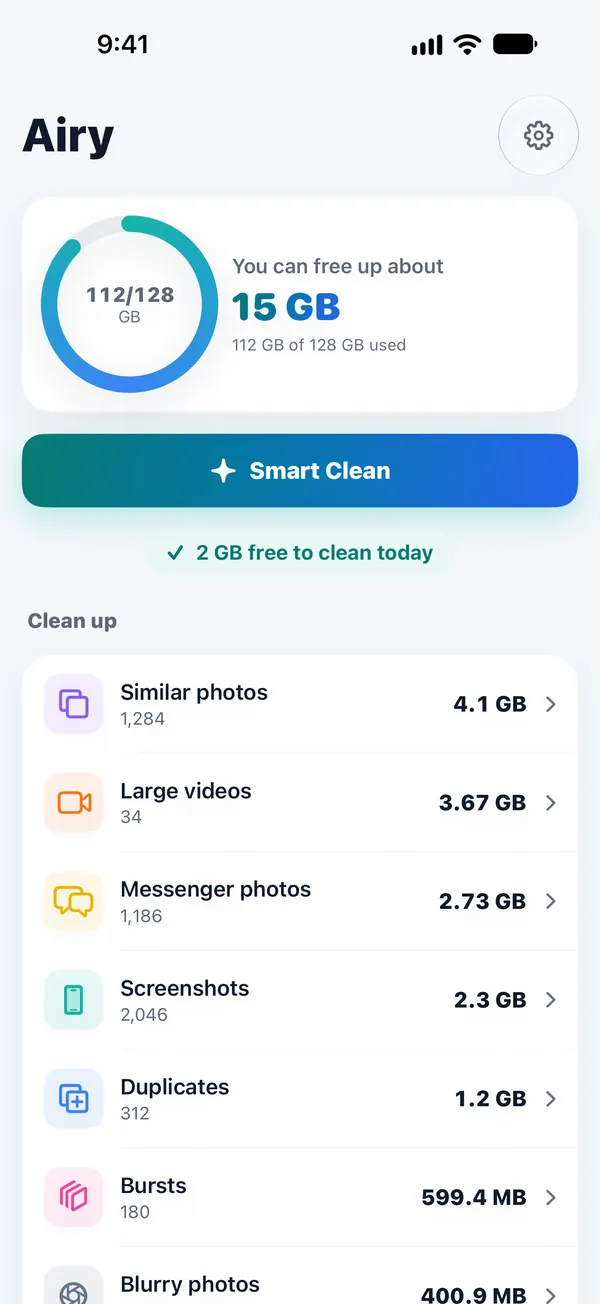
Rapid-fire, near-identical shots, grouped
Biggest first, at a glance
Clear the oldest first
Photos you received, in one place
Airy suggests.
You decide.
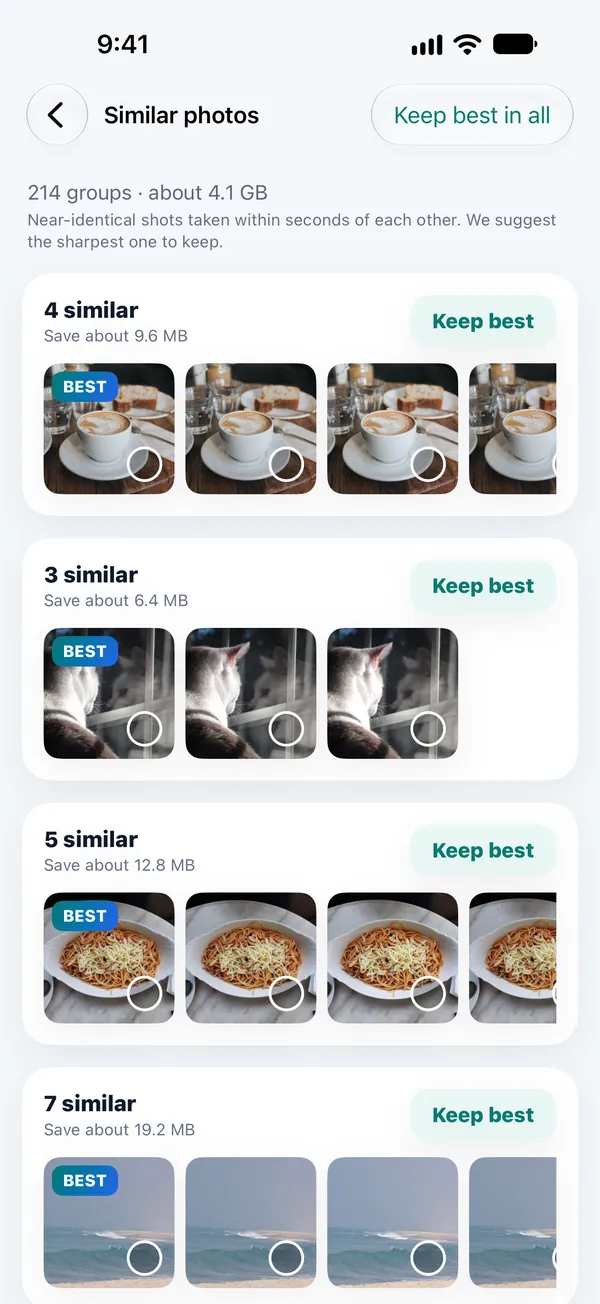
Airy groups near-identical shots taken seconds apart and suggests the sharpest one. Like a different shot better? Just keep that one instead.
- Clean each group with the “Keep best” button
- Favorites and photos in protected albums are never suggested

Just swipe,
and you're done
Go month by month, one photo at a time: swipe left to delete, right to keep. Made a mistake? Undo it right away.
- See how much space each photo takes
- Stop anytime and pick up where you left off
Only your picks,
checked once more
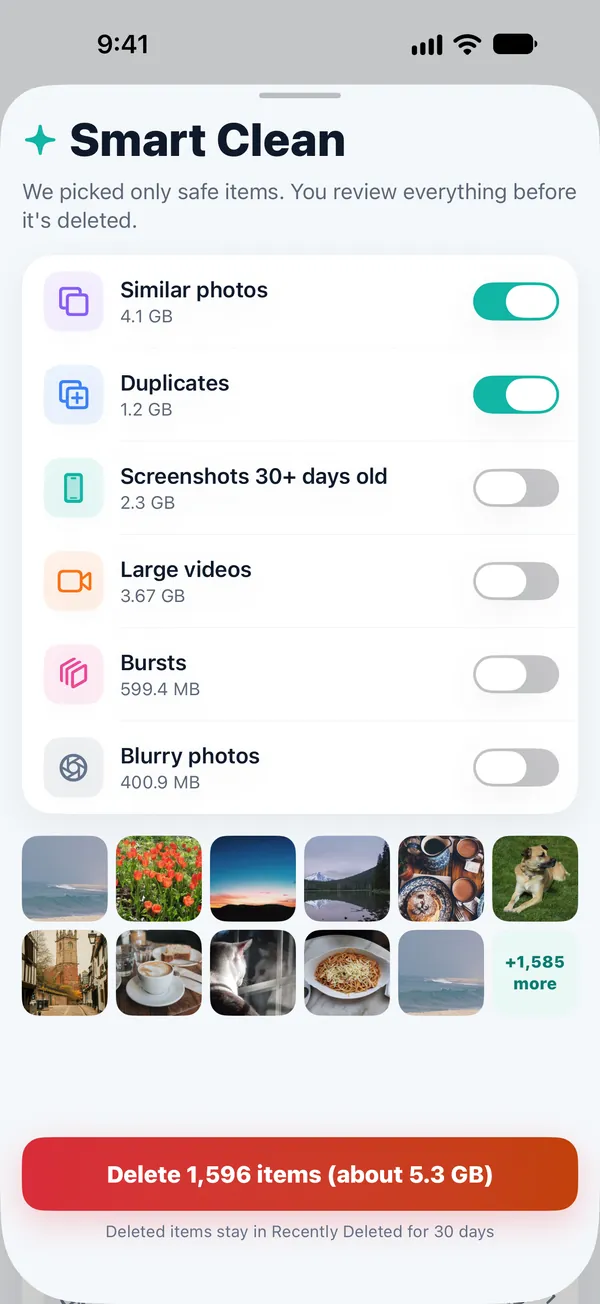
Airy lists only the safe picks. Turn items on or off, review them once more before anything is deleted, then give final approval in the iOS dialog.
- Deleted photos stay in Recently Deleted for 30 days
- Undo within 3 seconds
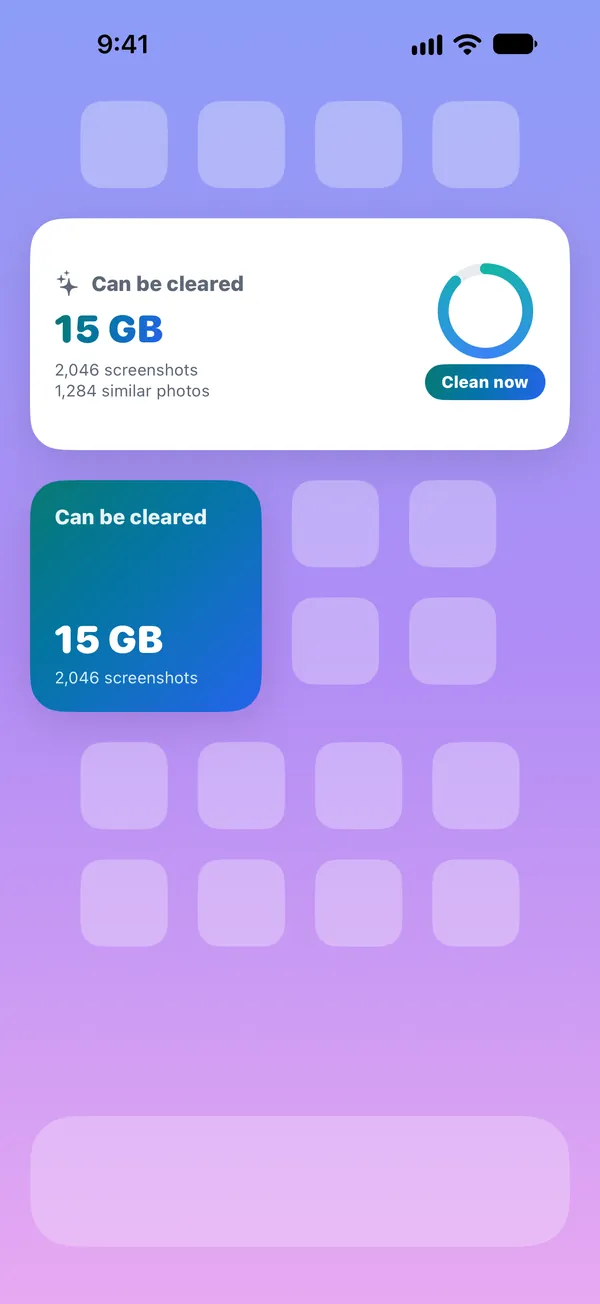
See what you can free,
right on your Home Screen
A widget shows how much space you can free, and opens Airy the moment you need it. Control Center and Shortcuts are supported too.
Three steps, that's it
Allow photo access
All analysis happens on your iPhone. The first look through your library takes a little while.
Check the suggestions
Similar photos, large videos and old screenshots, sorted by category.
Choose and clean
Pick what to keep and what to delete, approve in the iOS dialog, and you're done.
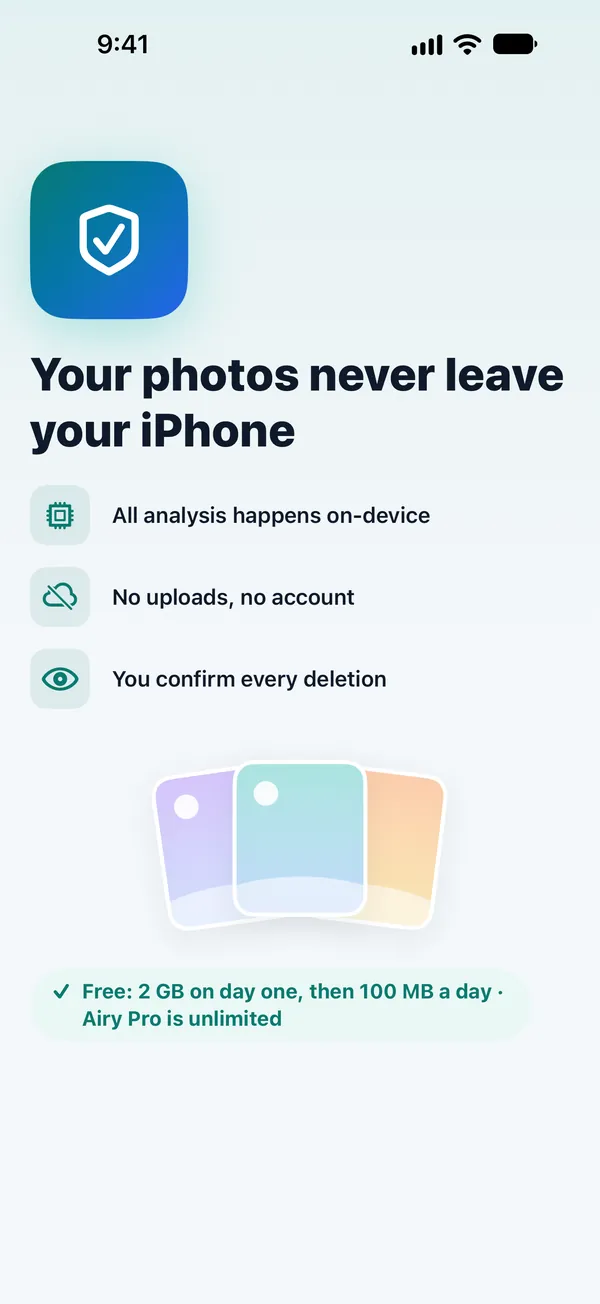
Your photos never
leave your phone
Airy has no servers. It doesn't upload your photos, doesn't ask you to create an account, and has no ads or tracking tools.
Photos are compared on your iPhone using Apple's Vision.
App Store privacy label: Data Not Collected.
Airy never deletes anything on its own.
Deleted photos stay in Recently Deleted for 30 days.
Start free.
Go Pro only when you need it.
Clean up to 2 GB free on your first day, then up to 100 MB every day.
Free
- Explore every feature
- Swipe and similar-photo cleanup
- Widgets
Airy Pro Yearly
- Clean without limits
- Every category + Smart Clean
- Cancel anytime
Airy Pro Lifetime
- Pro features for life
- No renewal charges
Subscriptions renew automatically unless cancelled at least 24 hours before the period ends. Cancel in Settings › [your name] › Subscriptions. A weekly plan ($2.99) is also available in the app. Prices may vary by country.
Common questions
I deleted photos, but my free space didn't go up.
iOS keeps deleted photos in Recently Deleted for 30 days. To free the space right away, empty it in Photos › Albums › Recently Deleted.
Can Airy delete my photos on its own?
No. Every deletion goes through the Review screen, a 3-second Undo and your approval in the iOS confirmation dialog. Widgets and Shortcuts only open a screen; they never delete anything.
Are my photos sent to a server?
No. Airy has no servers. All comparison and analysis happens on your iPhone.
I use iCloud Photos.
If iCloud Photos is on, photos you delete on your iPhone are also deleted on your other devices signed in to the same Apple Account. Airy reminds you of this the first time you clean up.
How is the free allowance counted?
Up to 2 GB on the first day you clean, then up to 100 MB every day after that. It resets at midnight.
How do I cancel my subscription?
Go to Settings › [your name] › Subscriptions › Airy. If you cancel during the free trial, you won't be charged.

Keep it light with Airy
Coming soon to the App Store.